Product presentation
Every job, client and part in one place
WorkSmartHub: work tickets from the first call to the paid invoice, on your own server.
WorkSmartHub · version 24
WorkWise SolutionsSimplify the boring part of work
WorkSmartHub
Where does a job live today?
The data of one job sits in five places, and none of them knows about the others.
02 / 37WorkSmartHub
WorkSmartHub
One work ticket holds the whole job
Everything about a job is on one screen, and everyone looks at the same record.
03 / 37WorkSmartHub
WorkSmartHub
Made for teams that work on jobs for clients
Service and repair shopsIntake, quote, repair, parts, handover and invoice on one ticket, with a printed intake sheet for the client. Maintenance and installation teamsJobs in a calendar, technicians who see only their own tickets, site visits and deliveries with prices. Companies with several teamsOne installation, a workspace per team, shared clients and catalogue, separate tickets and permissions. IT and operationsCompany sign-in, a full audit log, your choice of database and file storage, an API for integrations. If your work arrives as a job and ends with a handover, this is your tool.
04 / 37WorkSmartHub
01
Part 01
The journey of a job
From intake to invoice, and what the system does at every stop.
05 / 37WorkSmartHub
Your team records what happened. The messages, the stock and the invoice follow by themselves.
06 / 37WorkSmartHub
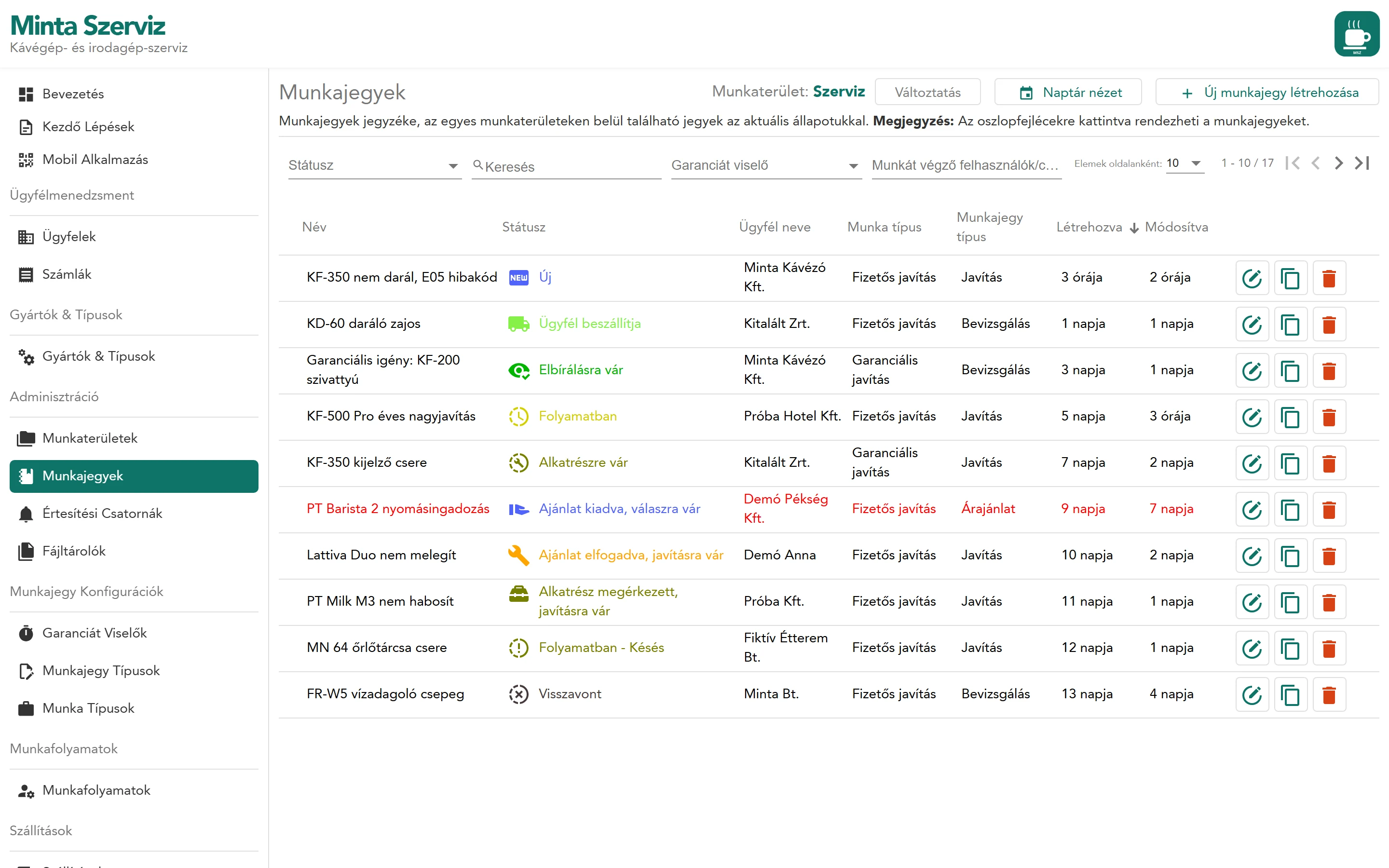
Work tickets
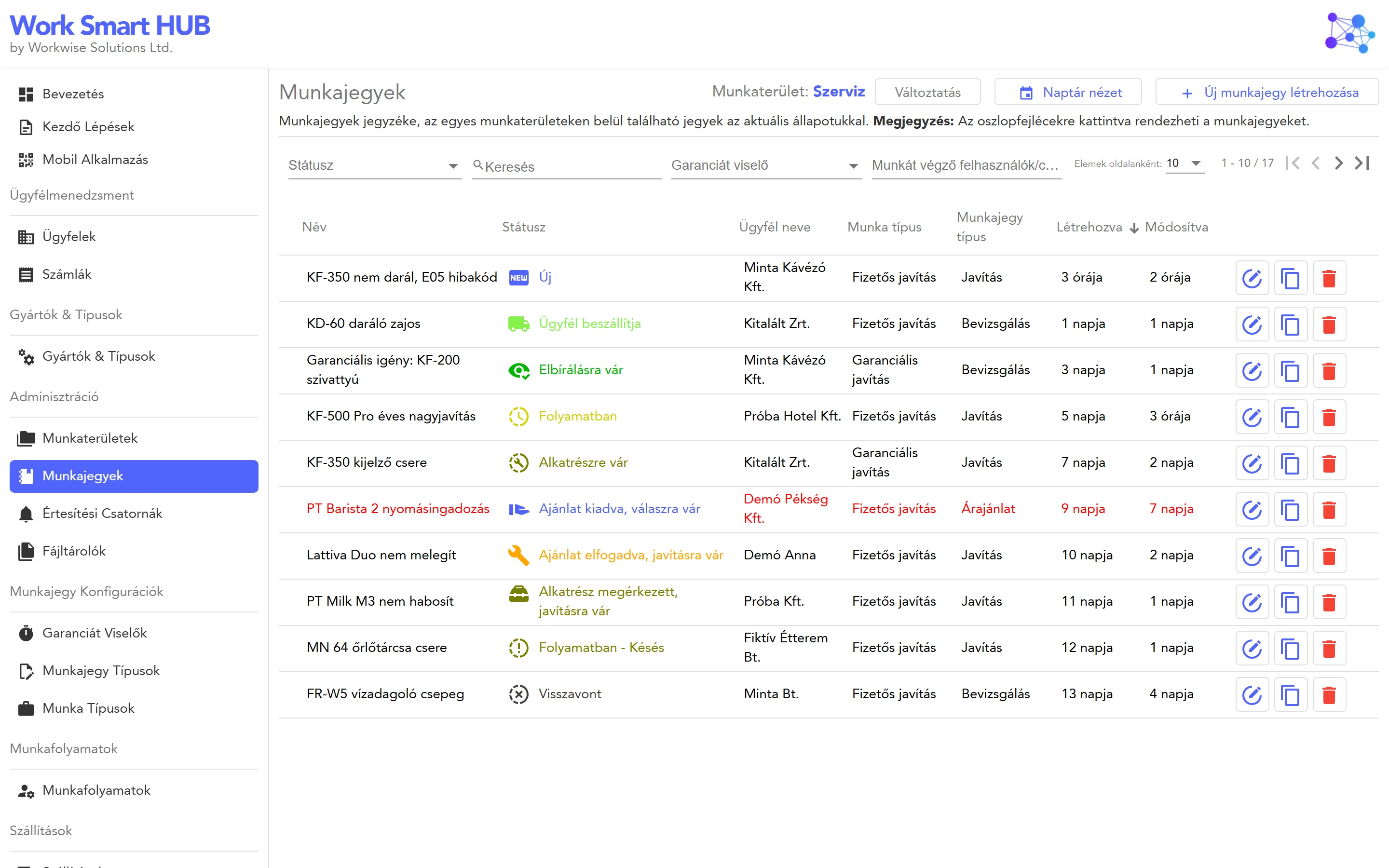
- 1Every job of the workspaceName, status, client, type and age, sortable by any column.
- 2Filters that match how you askBy status, guarantor, assigned person or group, or free text.
- 3Stalled jobs turn redNo change for the set number of days, and not closed yet.
What is open, who has it, and what is stuck: one look.
07 / 37WorkSmartHub
- 1What the job isName, problem description, and notes the client never sees.
- 2Who it is forPick an existing client, or fill in the fields and a new one is created.
- 3How it is handledType, guarantor, status, the people assigned and the product.
- 4What it takesWork steps, parts from stock and attachments, on the right.
Edit work ticket
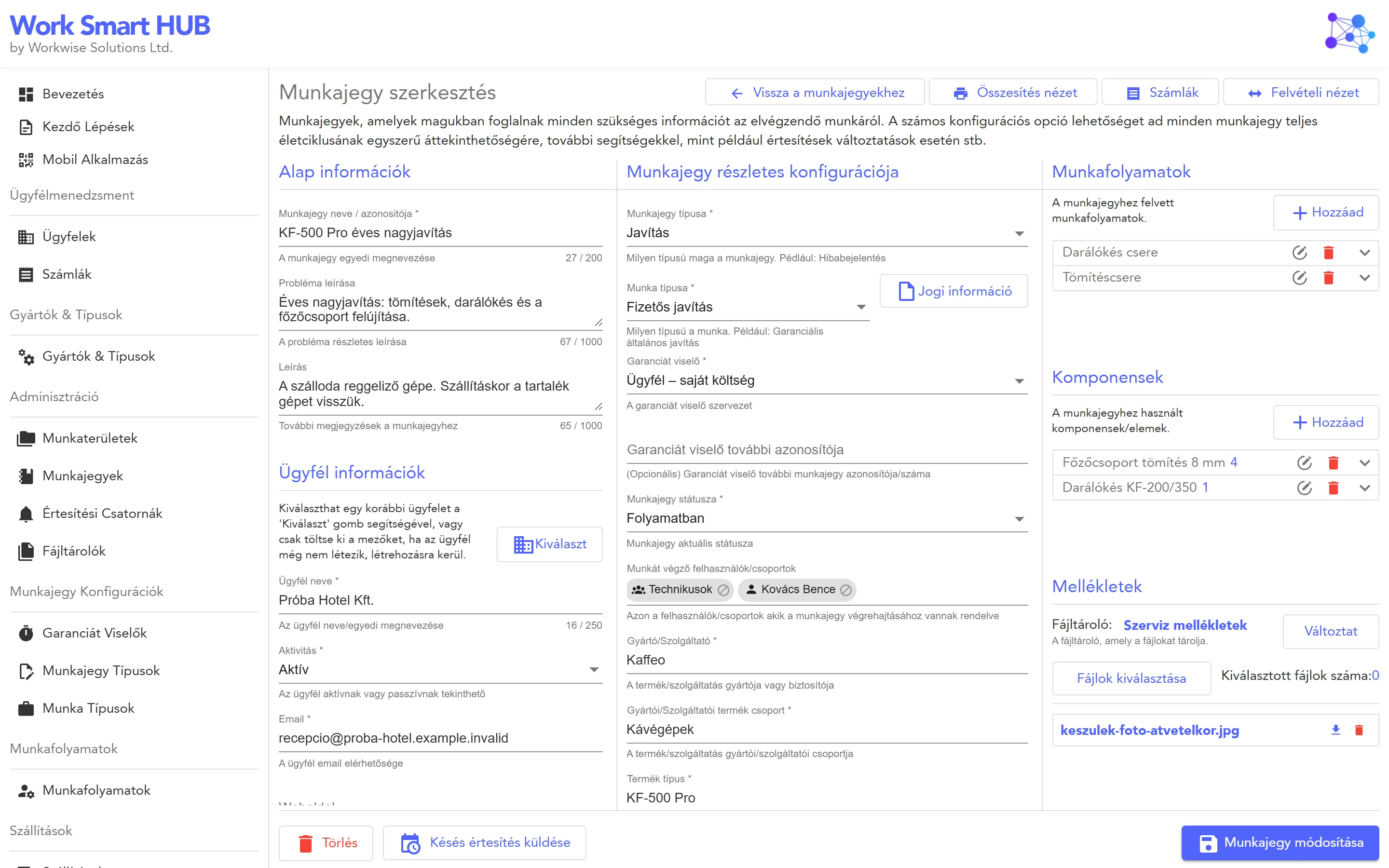
Print the summary or the intake sheet, send a delay notice, open the invoices: all from the ticket.
08 / 37WorkSmartHub
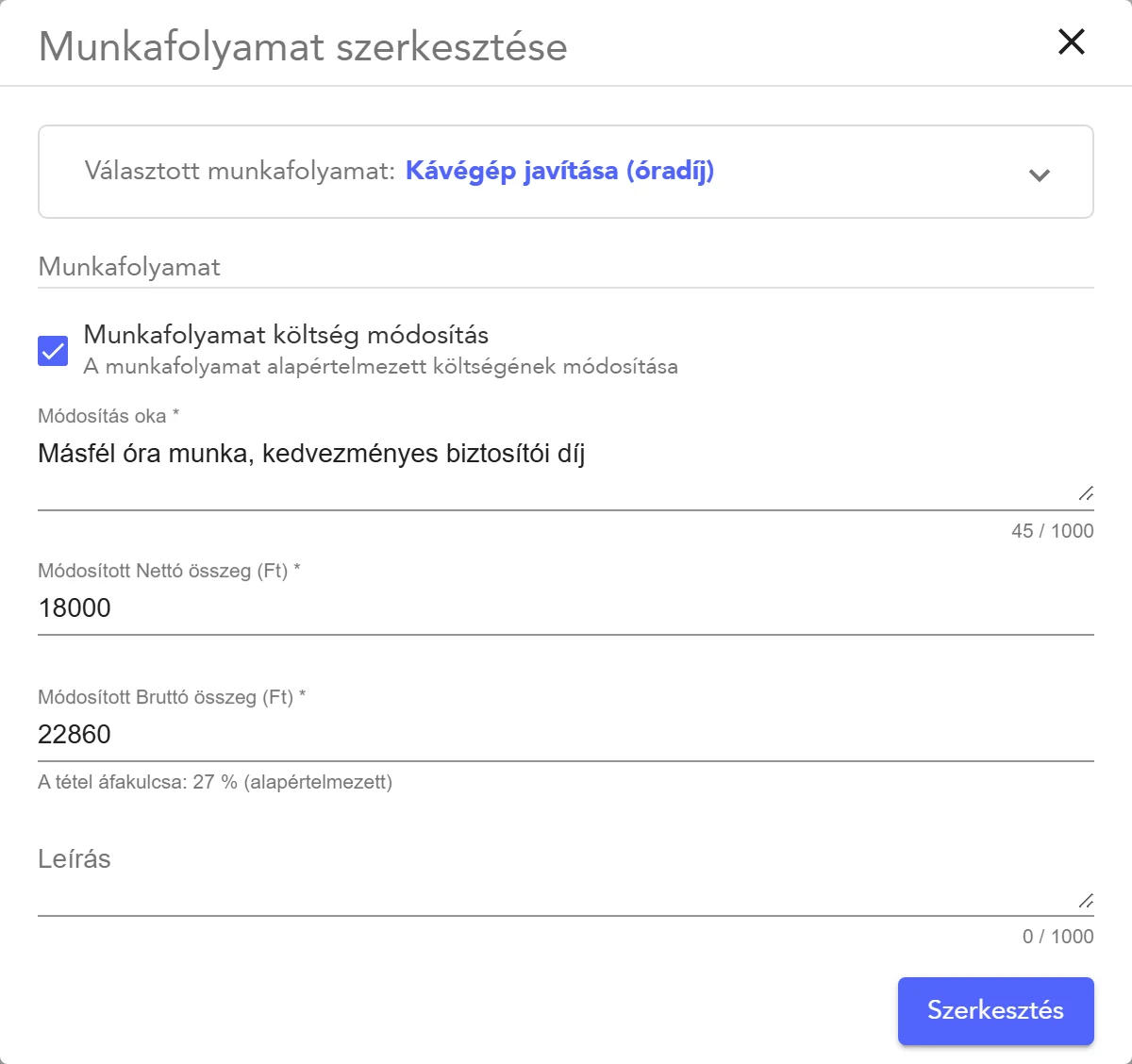
A work step from your price list. The price can be overridden for this ticket, with a reason.
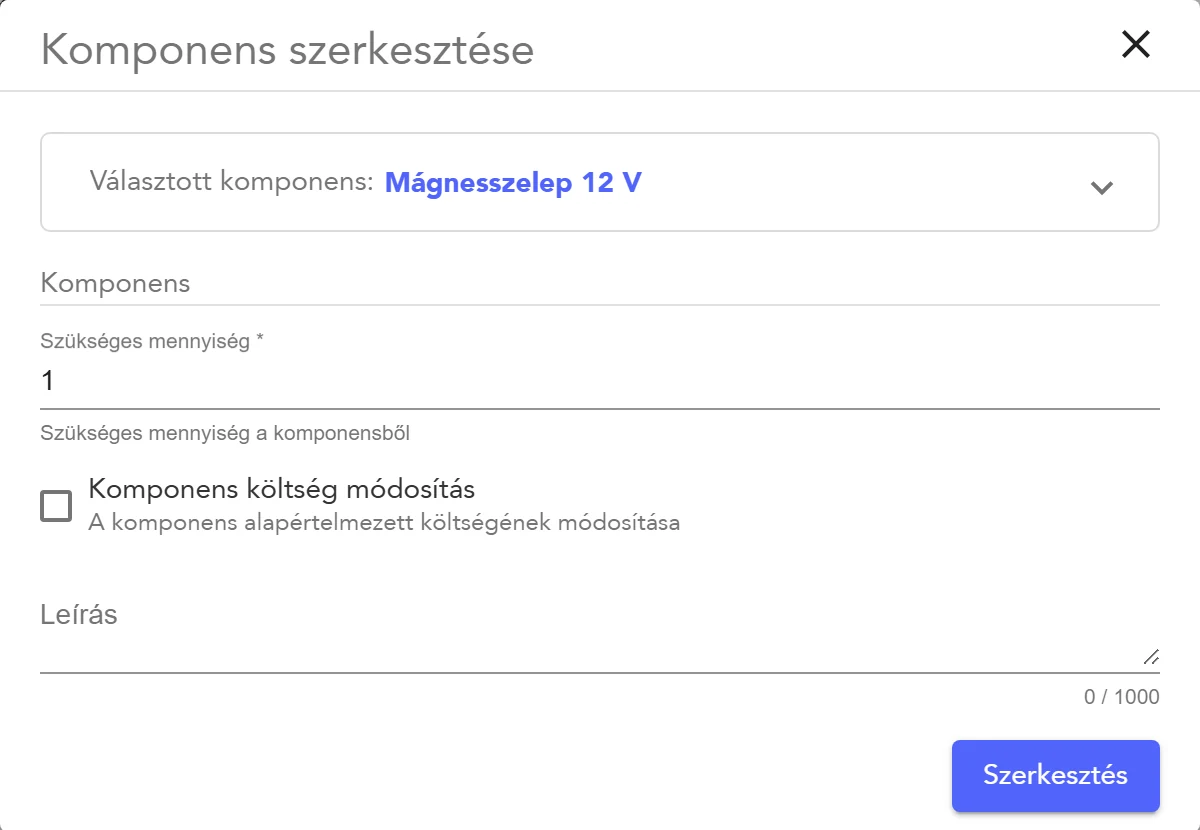
A part from stock, with quantity. Adding it takes it out of the warehouse.
Type the net or the gross price: the other one is calculated.
09 / 37WorkSmartHub
Plus archived, withdrawn and scrapped for the jobs that end another way. Closed tickets stop the reminders.
10 / 37WorkSmartHub
Work ticket calendar
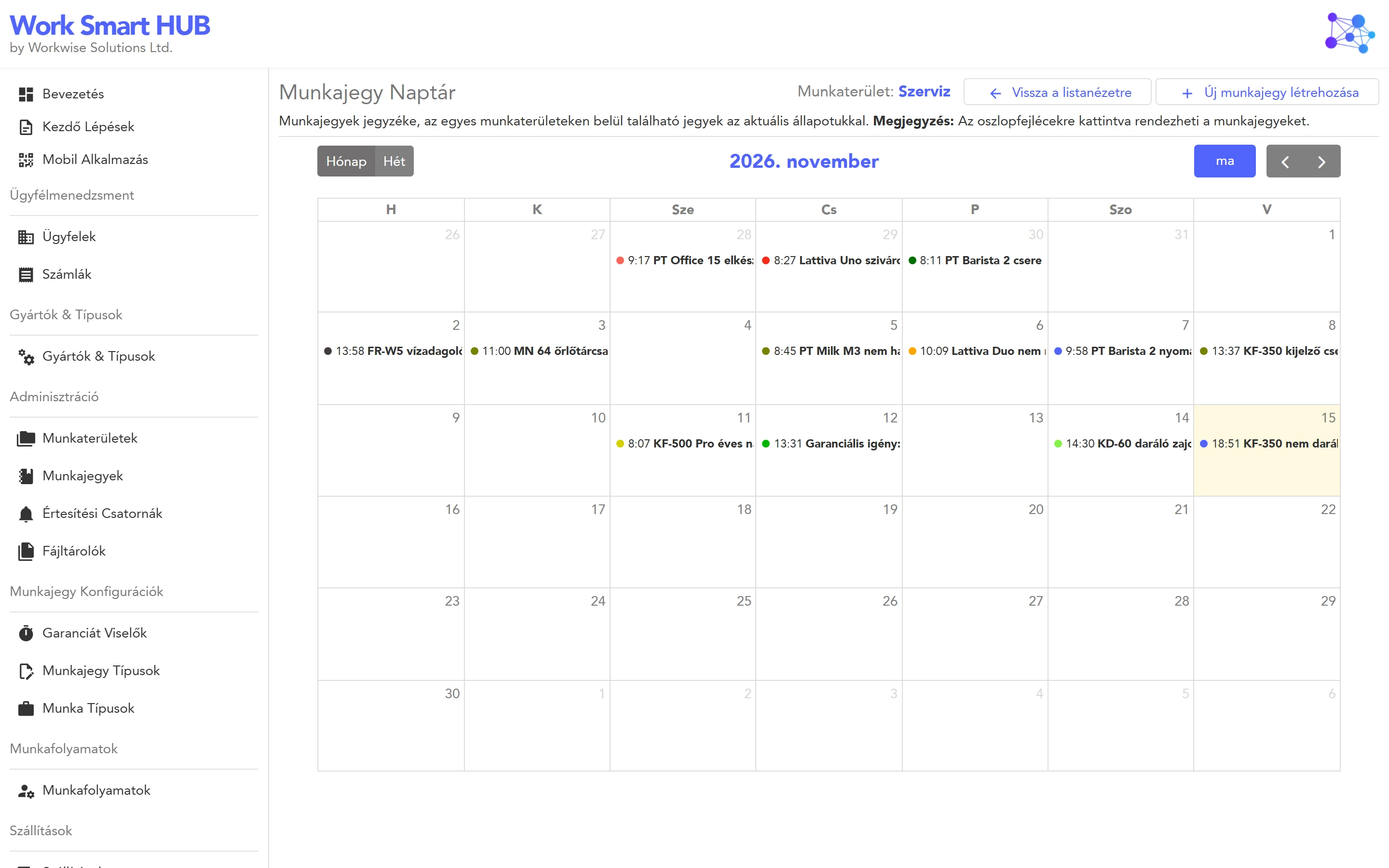
- 1By intake dateMonth or week view of the workspace.
- 2Coloured by statusThe dot shows where each job stands.
- 3One click to the ticketOpen, check, update, go back.
How busy was the week, and what came in when.
11 / 37WorkSmartHub
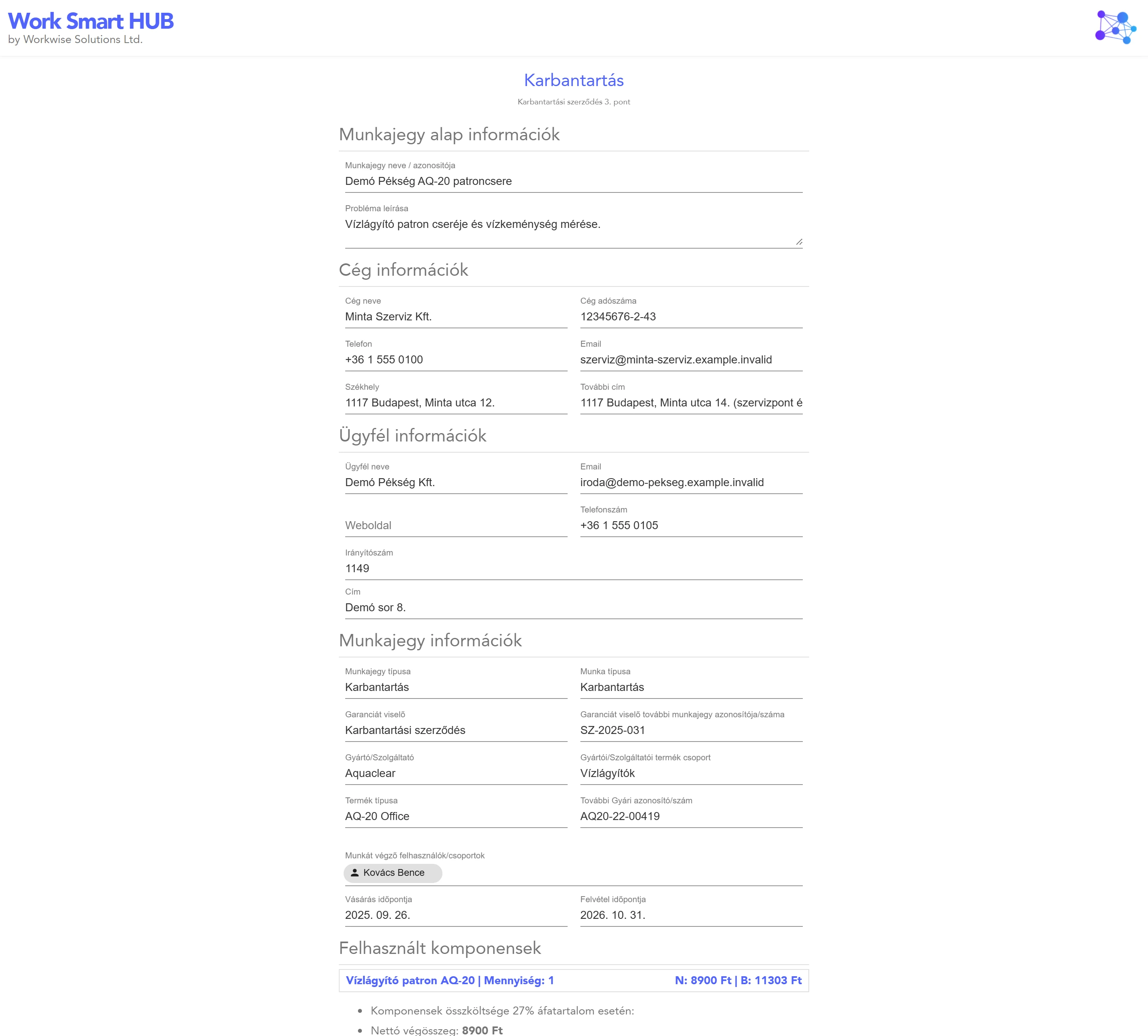
Summary: client, product, work steps, parts and delivery with net and gross totals.
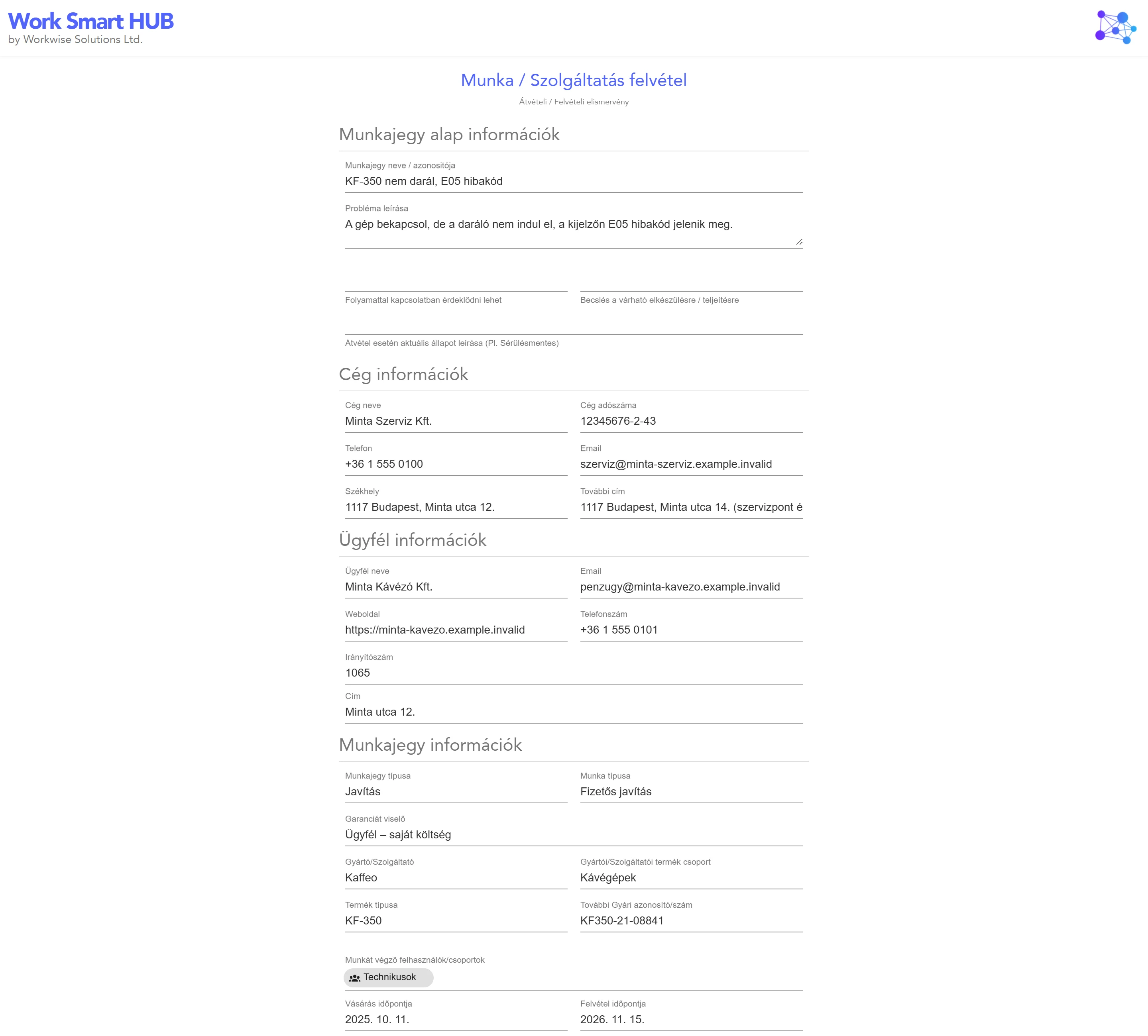
Intake sheet: what was handed in, in what state, with your terms and a place to sign.
Both carry your company details and logo, and are made from the ticket as it is right now.
12 / 37WorkSmartHub
02
Part 02
Clients and stock
Recorded once, used on every ticket, kept up to date by the work itself.
13 / 37WorkSmartHub
02 · Clients and stock
Every client with its whole history
Clients
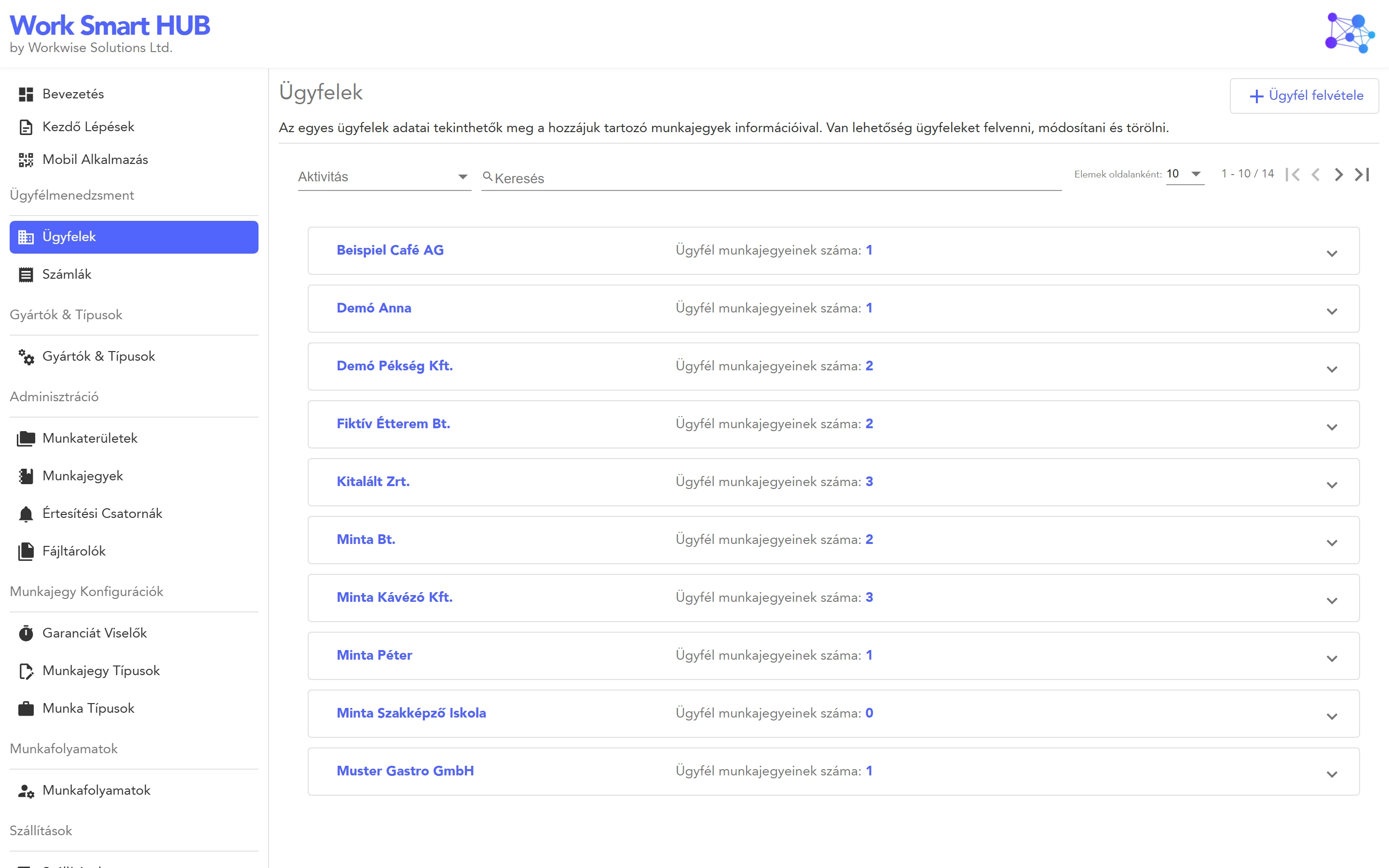
- 1One record per clientCompanies and private persons, shared by all workspaces.
- 2Tickets under the clientOpen a row to see what you did for them, and when.
- 3Ready for invoicingTax number, country, EU VAT number and invoice language.
When the client calls, the answer is one search away.
14 / 37WorkSmartHub
02 · Clients and stock
The client hears from you before asking
The texts are templates you edit. The sending is not something anyone has to remember.
15 / 37WorkSmartHub
02 · Clients and stock
A warehouse that keeps itself up to date
- 1Every part with its placeSerial number, description, location, quantity, price and picture.
- 2Low stock is visibleAnd the people responsible get an e-mail.
- 3Edit in ExcelExport, change, import back with validation.
Components
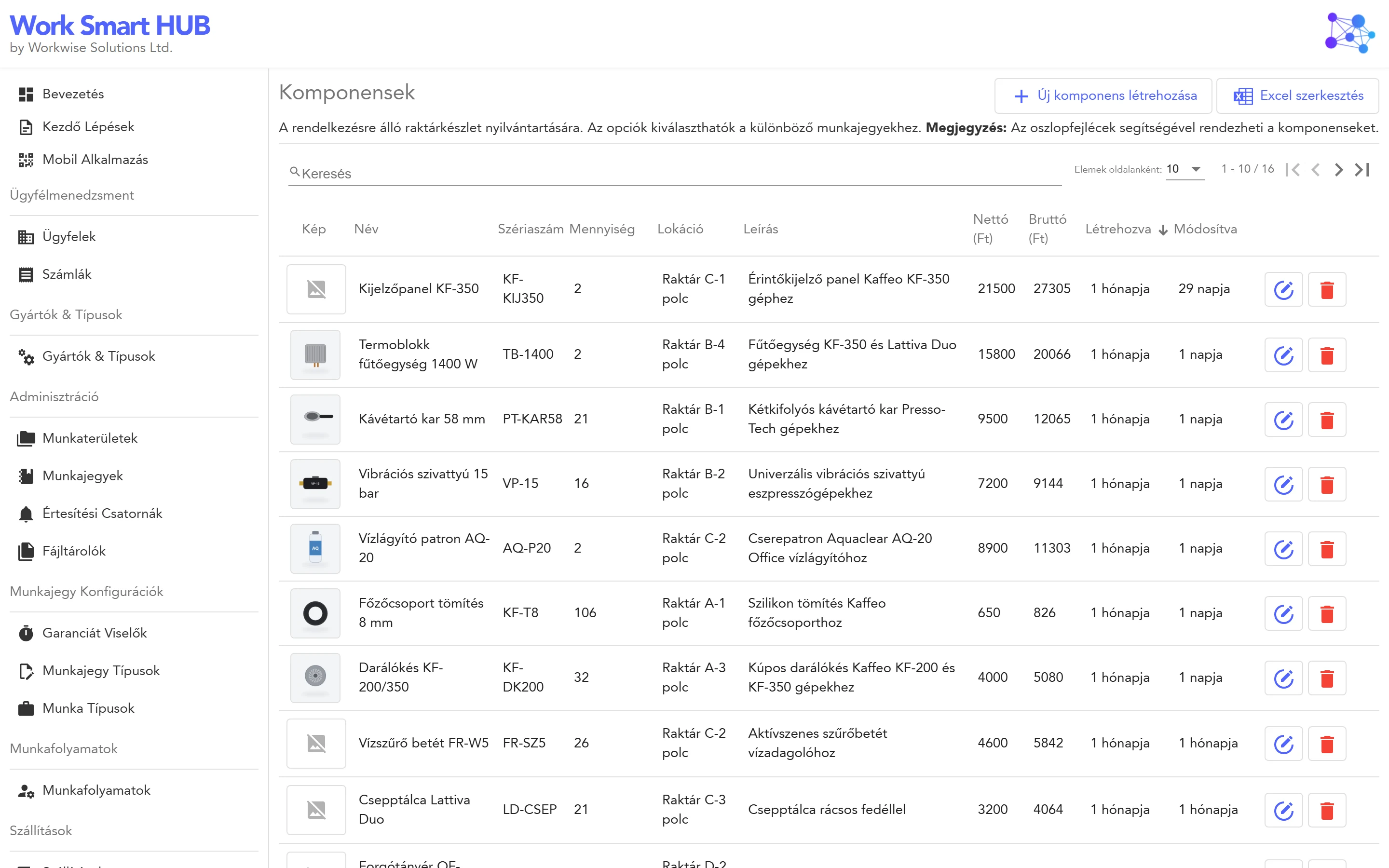
Nobody has to count after each job: the tickets do the bookkeeping.
16 / 37WorkSmartHub
02 · Clients and stock
Stock follows the tickets
The number on the screen is the number on the shelf.
17 / 37WorkSmartHub
02 · Clients and stock
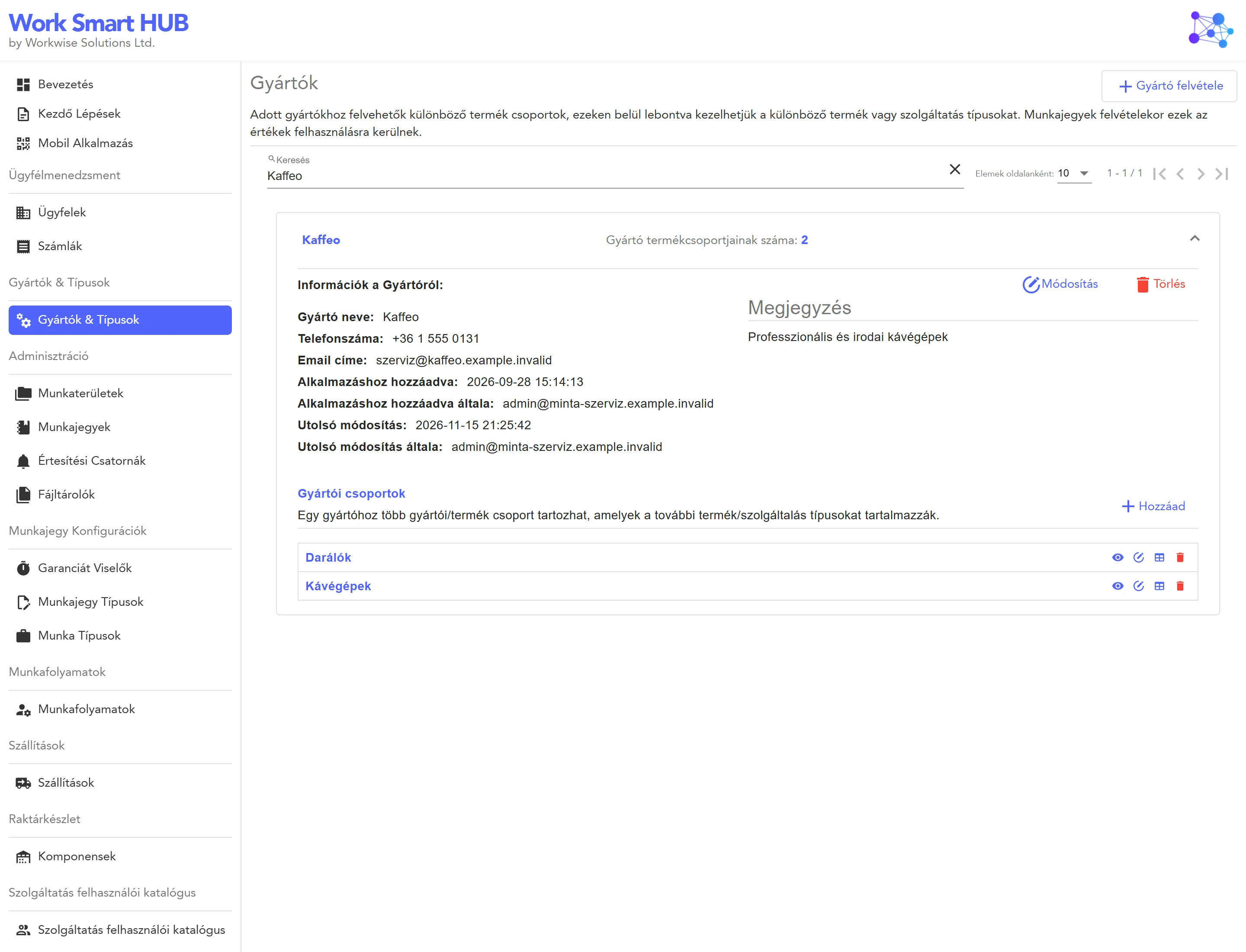
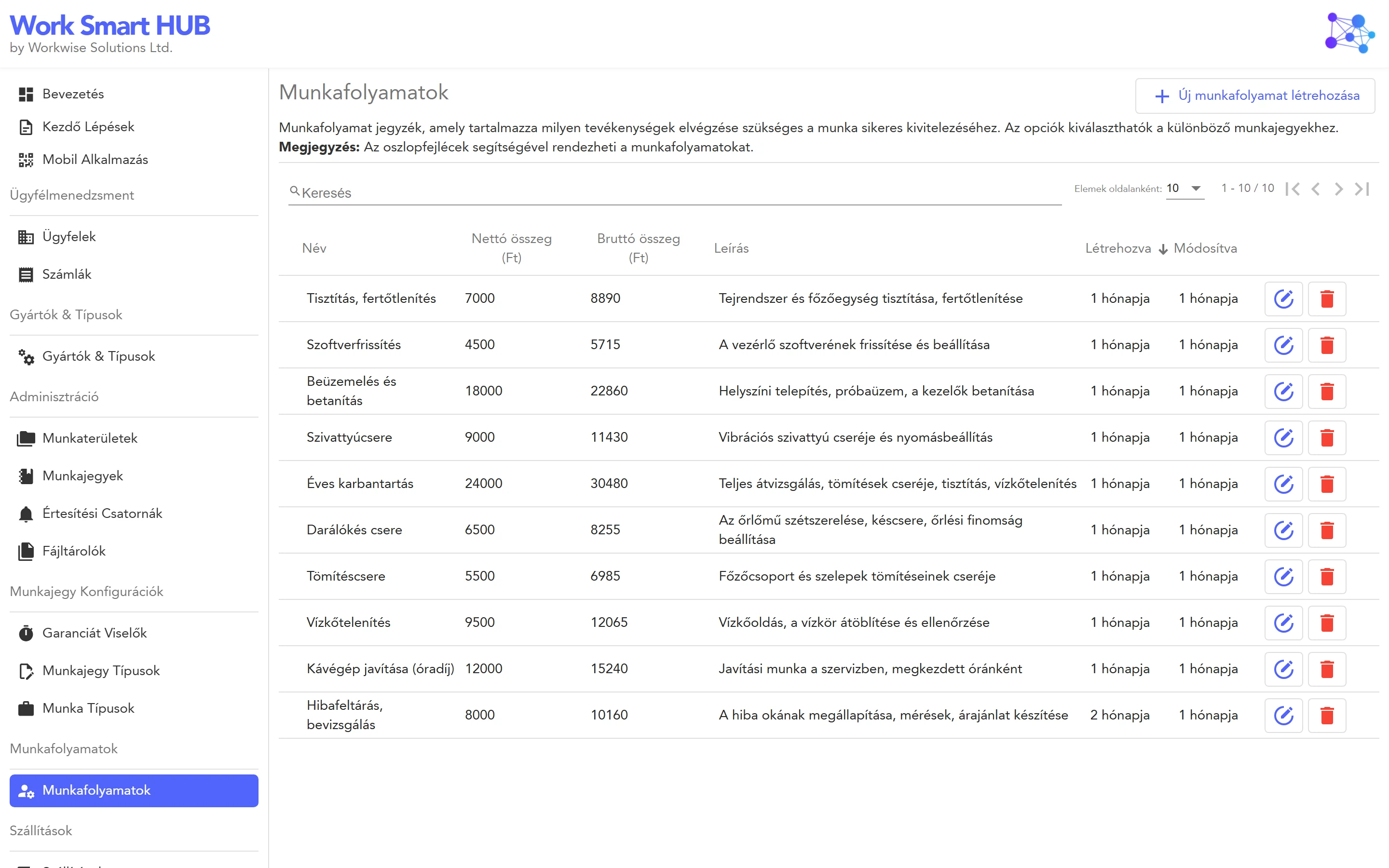
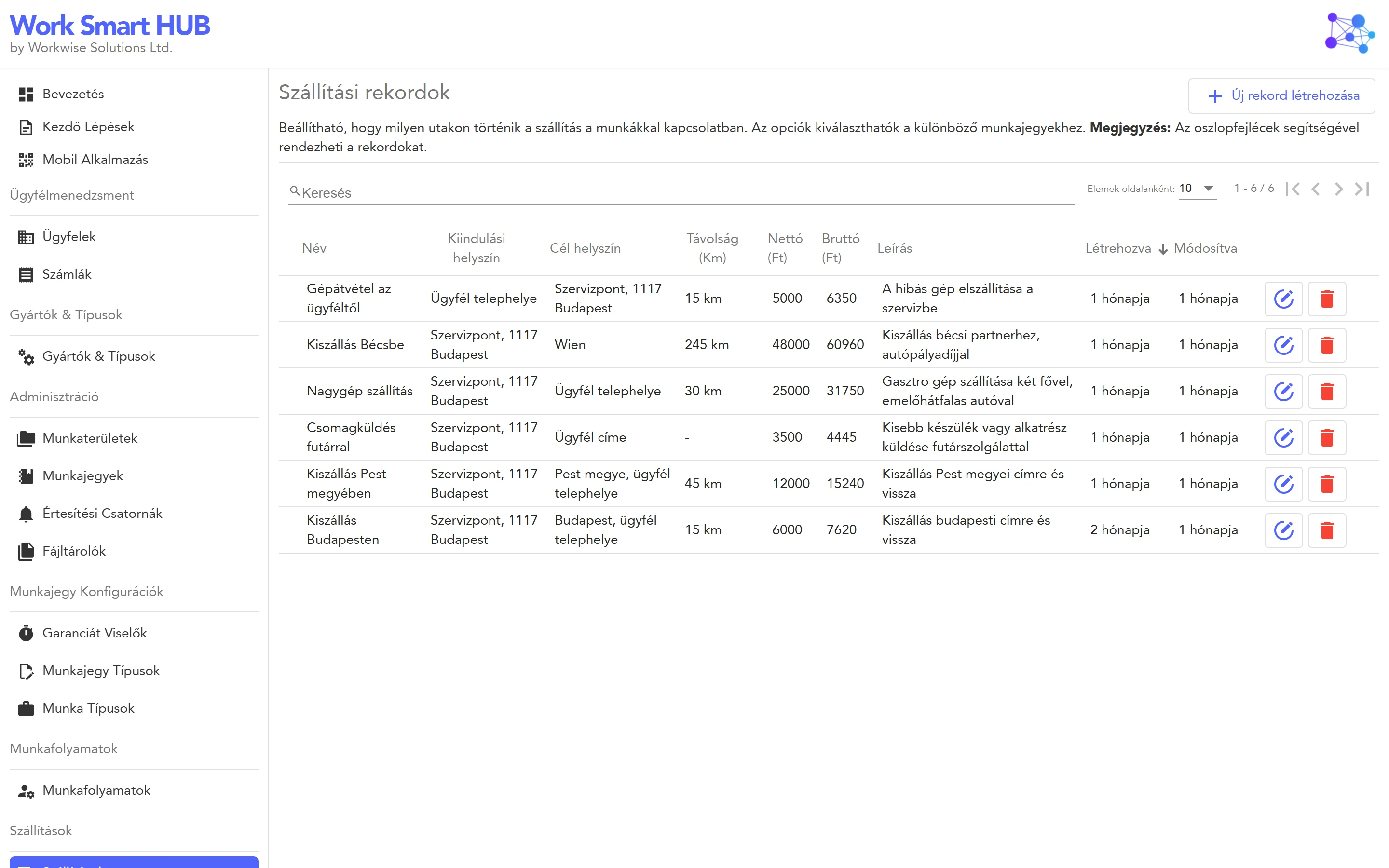
Your catalogue: set up once, picked on every ticket
Manufacturers, product groups and product types
Work steps with default prices
Delivery routes with prices
Guarantors, ticket types and work types complete the picture. New tickets take seconds, not minutes.
18 / 37WorkSmartHub
03
Part 03
Invoicing with Számlázz.hu
The invoice is issued from the ticket, with your own Számlázz.hu account.
19 / 37WorkSmartHub
03 · Invoicing
From the ticket to the buyer’s inbox, in one flow
Nothing is typed twice: the invoice lines are the ticket lines.
20 / 37WorkSmartHub
03 · Invoicing
Every invoice, and what is still owed
Invoices
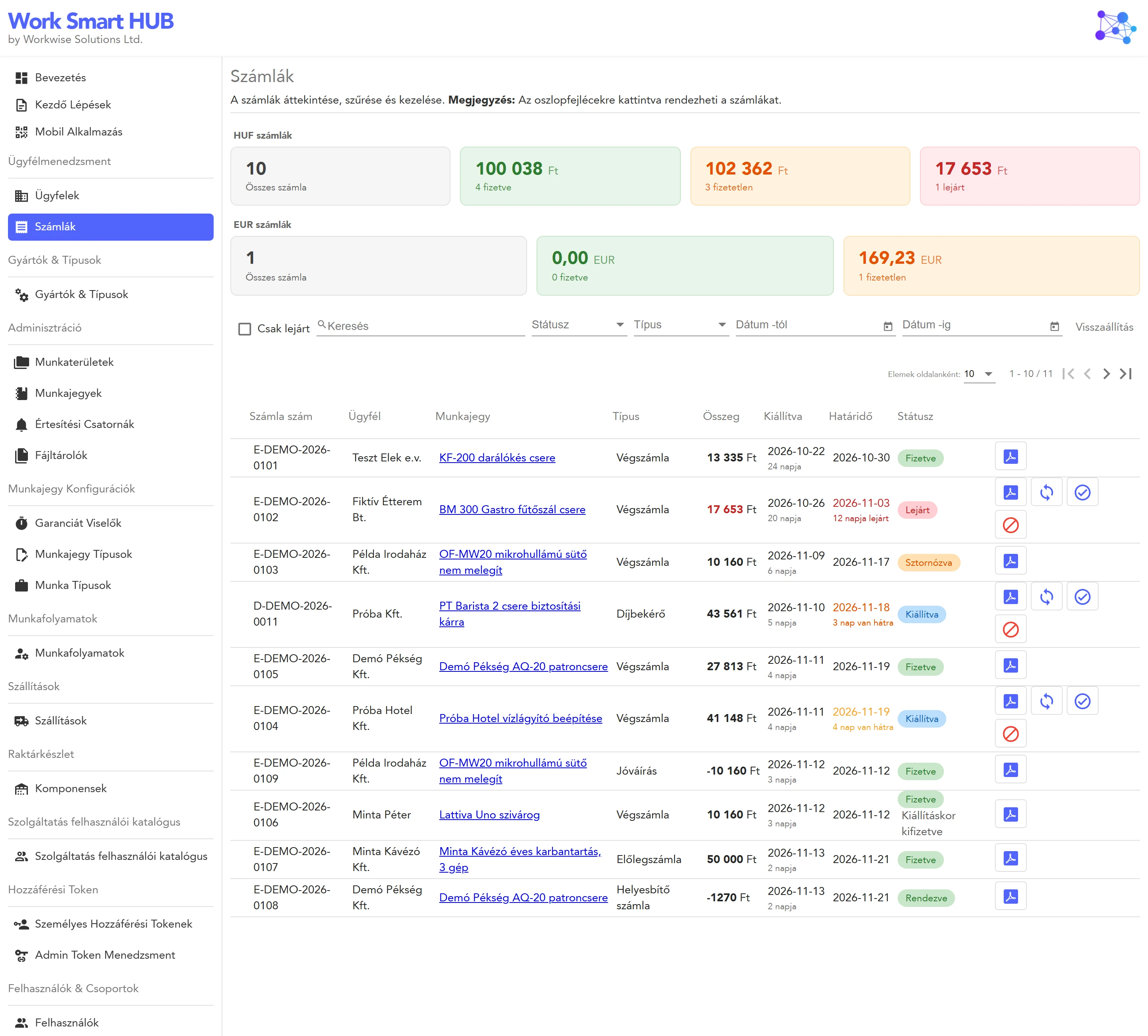
- 1Totals per currencyAll, paid, unpaid and overdue, for HUF and EUR separately.
- 2Find any documentSearch, status, type and date filters, overdue only.
- 3Act from the rowOpen the PDF, sync the status, mark as paid, cancel.
- 4Linked to the ticketOne click from the invoice to the job behind it.
Overdue invoices also arrive as a notification, with the amount still due.
21 / 37WorkSmartHub
03 · Invoicing
The documents a real business actually needs
Domestic and foreign buyers, forint, euro and dollar: from the same dialog.
22 / 37WorkSmartHub
04
Part 04
Teams and access
Everyone sees what they need, hears about what concerns them, and signs in the way your company does.
23 / 37WorkSmartHub
04 · Teams and access
Separate teams, separate work, one installation
A person can belong to several workspaces and switch between them with one click.
24 / 37WorkSmartHub
04 · Teams and access
Five roles, from everything to just my tickets
Separate permissions let people maintain clients, catalogue or stock without being administrators. The server checks every request.
25 / 37WorkSmartHub
04 · Teams and access
Permissions are given where the work is
Workspaces
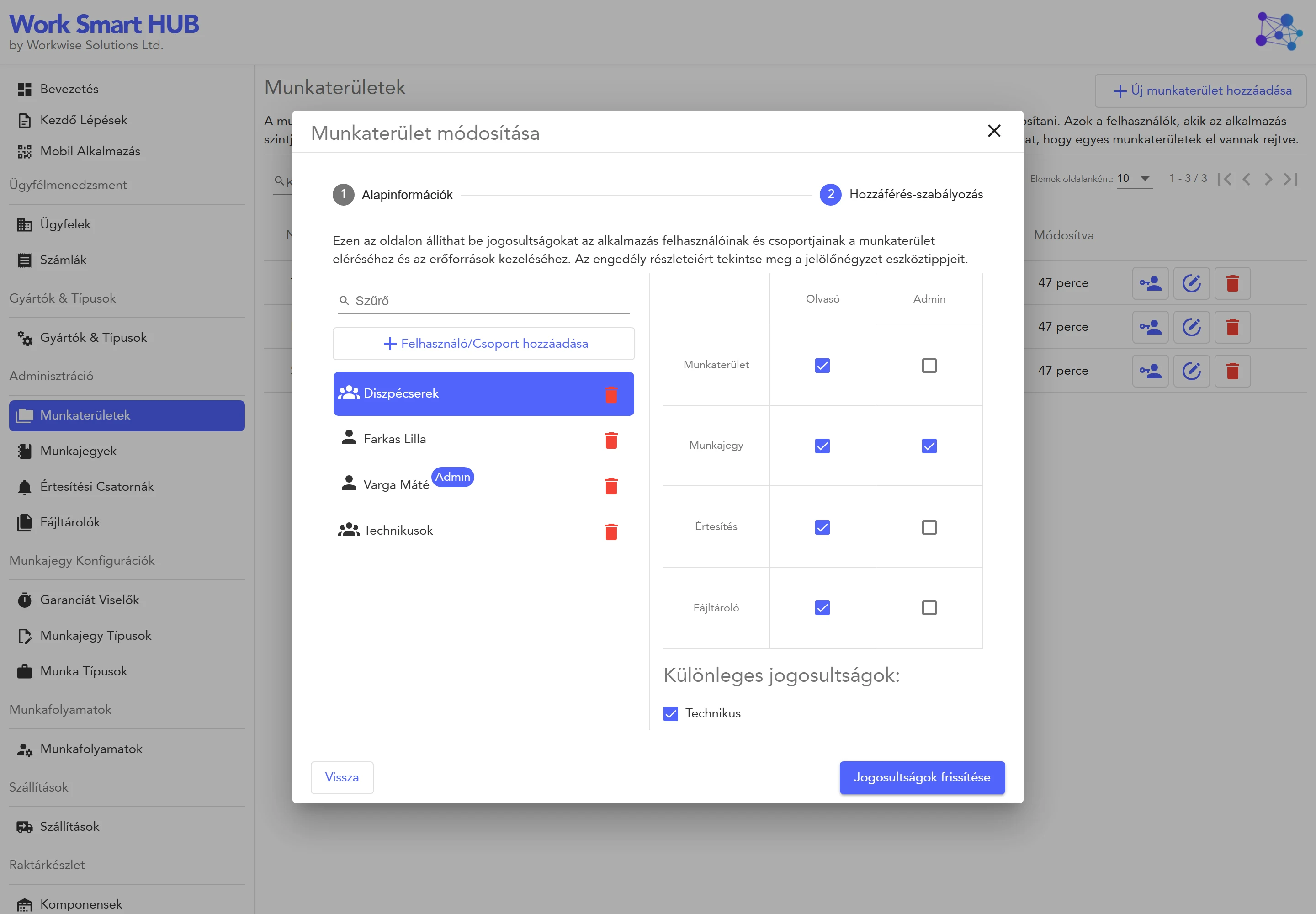
- 1Users or whole groupsAdd a team once, not person by person.
- 2A level per workspaceAdministrator in one, technician in another.
- 3From your directoryLocal users or users and groups of your identity provider.
New colleague, new team, new department: a few clicks, no IT ticket.
26 / 37WorkSmartHub
04 · Teams and access
The right people hear about it, where they already are
A ticket picks its channels. Nobody has to forward anything.
27 / 37WorkSmartHub
04 · Teams and access
Sign in the way your company does
No second password to remember, and a leaver loses access when the directory says so.
28 / 37WorkSmartHub
05
Part 05
On your infrastructure
You install it, you run it, and your data stays in your network.
29 / 37WorkSmartHub
Nothing is stored at WorkWise Solutions: the database, the files and the sign-in are yours.
30 / 37WorkSmartHub
InstallationWindows ServerA site under IIS, with Windows sign-in if you use Active Directory.IIS
InstallationLinuxA systemd service behind nginx on Ubuntu, Debian or the RHEL family.systemdnginx
InstallationDockerOne container and one data volume, with run and service scripts.one volume
InstallationKubernetesA Helm chart with a built-in PostgreSQL and Redis, or your own.Helm
StartStart smallThe default SQLite database needs no database server. One machine is enough. GrowthGrow when neededSQL Server, PostgreSQL or MySQL, and several servers behind a load balancer. UpgradeUpgrades without surprisesThe schema is migrated at start-up, and each release lists what to do. GuidesDocumented step by stepRequirements, each installation, backup, restore and production operation. 31 / 37WorkSmartHub
The same page with a company logo and colour
Logo, colours, company details on e-mails, printouts and invoices: set in the portal, no development.
32 / 37WorkSmartHub
- 1Every action is an eventWith the user, the time and what changed.
- 2Errors have their own listAnd the server log files open in the portal.
- 3Filter and exportBy user and event type, to Excel.
- 4Secrets stay secretSettings changes are logged, keys and passwords never.
Events
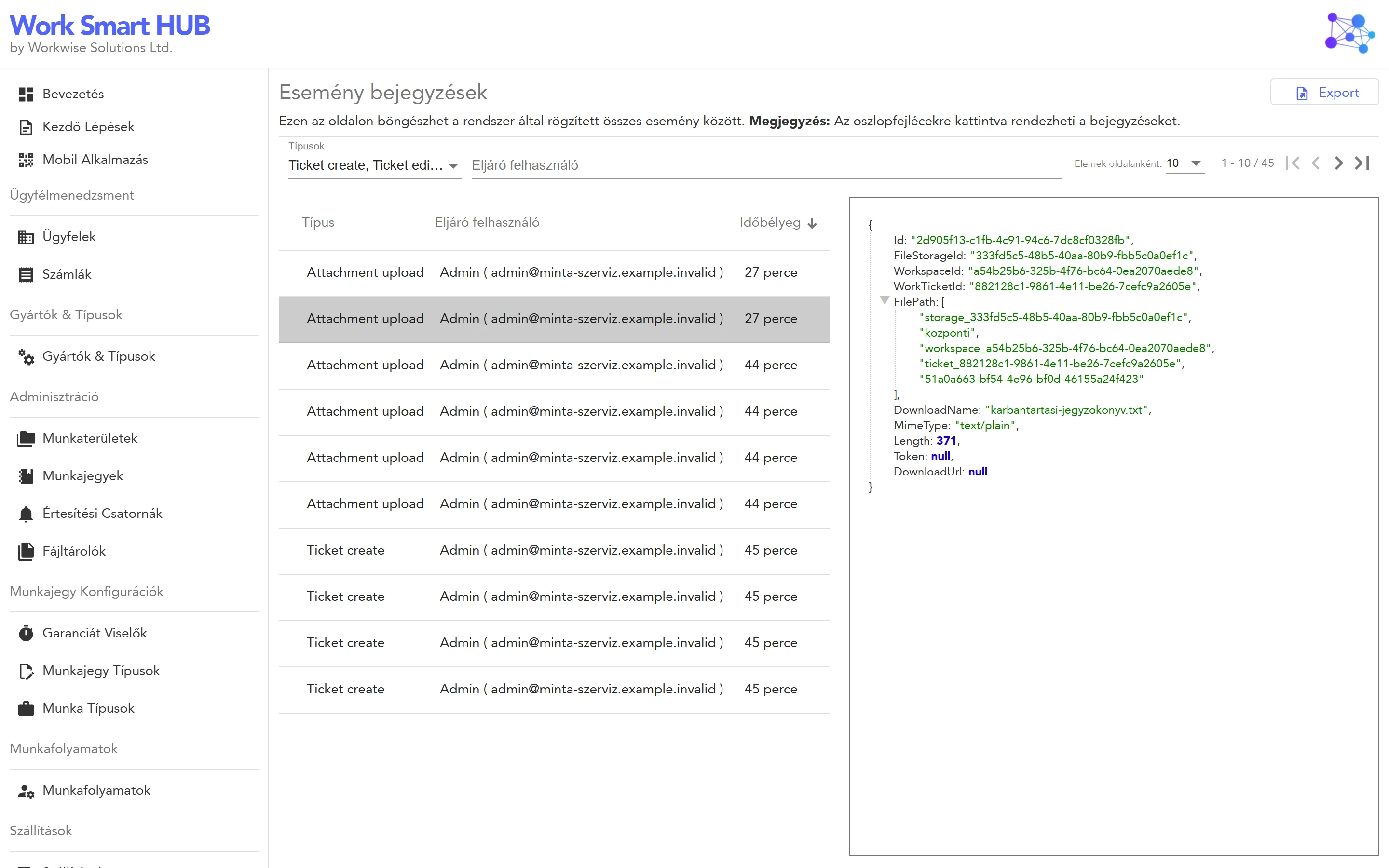
When a question comes up months later, the answer is in the log.
33 / 37WorkSmartHub
NotificationsE-mail (SMTP)SlackMicrosoft Teams
Sign-in and usersActive DirectoryLDAPMicrosoft Entra IDOAuth 2.0
File storageServer diskAzure BlobAmazon S3MinIOBoxSharePointGoogle Cloud Storage
DatabaseSQLiteSQL ServerPostgreSQLMySQL
Automation and secretsREST APISwaggerPersonal access tokensHashiCorp Vault
You choose them in the settings, and you can change them later.
34 / 37WorkSmartHub
WorkSmartHub
Up and running in three steps
We help with the installation and the first settings, then your team takes over.
35 / 37WorkSmartHub
WorkSmartHub
24 releases since 2023, and counting
Driven by what customers ask for. The newest: foreign buyers, euro and dollar invoices, corrections and advances.
36 / 37WorkSmartHub
See it with your own data
Let’s build the future together
Simplify the boring part of work, and focus on what you are good at. Book a free demo and we walk you through the product with your own questions.
- E-mailinfo@workwise-solutions.net
- Democalendly.com/workwise-laszlo-nemes
- Docsworkwise-solutions.net/docs
WorkWise SolutionsSimplify the boring part of work
Turn the phone sideways for a larger slide. Swipe or tap to move.